REQUIREMENTS
Check the stack before installing
- Platform: Windows
- Loader or runtime: MelonLoader 0.6.6
- Release: 1.1.1
- License: MIT
- File: MeshToggler.dll (10 KB)
Appearance / community project
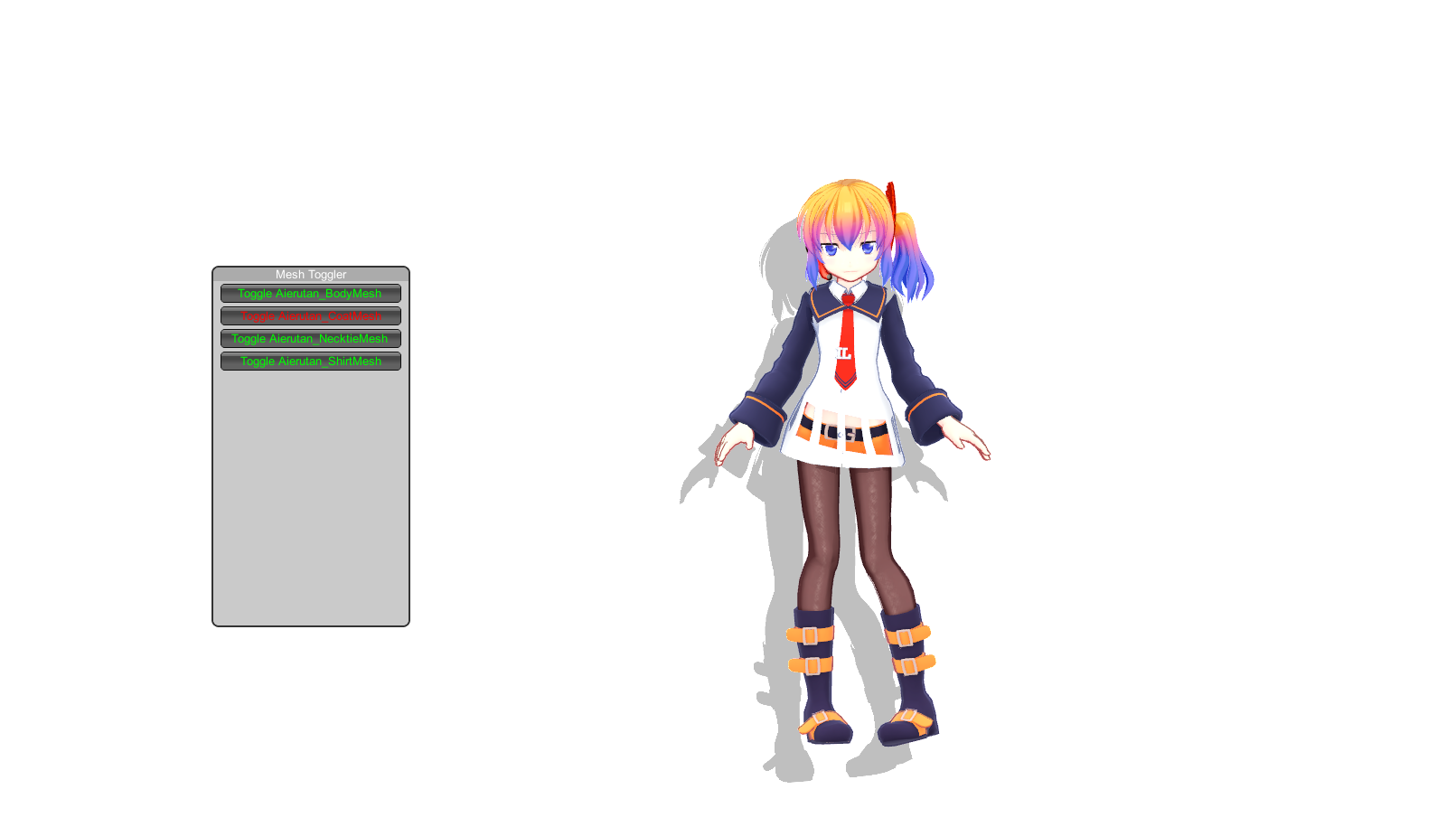
Clothes Toggler opens an F1 mesh menu for hiding or showing parts of the active avatar and remembers the selected state. It also claims support for custom avatars, but its release predates major Desktop Mate modding changes.
Independent fan resource. Not affiliated with, endorsed by, or sponsored by infiniteloop Co., Ltd., Valve/Steam, or any character rights holder.
Built for an older Desktop Mate or loader version. Verify compatibility before using it.
WHAT IT DOES
This small MelonLoader DLL enumerates meshes on the active character and presents toggle buttons. It can be useful for models intentionally designed with optional layers; it is not a license to remove or redistribute protected character assets. Because it operates on mesh names, results vary by avatar and some toggles can hide unexpected geometry.
REQUIREMENTS
The last release was January 2025 and no current Desktop Mate support statement is published. Custom models expose different mesh names, so the menu and saved state are model-dependent.

Close Desktop Mate, delete MeshToggler.dll from the Mods folder, and remove its preference file from UserData/MelonPreferences if you want to reset saved visibility choices.
The author says it does, but exact results depend on how each avatar's meshes are named and structured.
Unsigned, low-download DLLs often trigger reputation warnings. Do not bypass a warning blindly; verify the GitHub repository and scan the file.
Current compatibility is unverified. The release targets the early MelonLoader modding setup.
Page checked against the linked project material on 2026-07-22. Compatibility can change after Desktop Mate, MelonLoader, BepInEx, or the mod updates.
RELATED PROJECTS
Custom Avatar Loader is the best-known community mod for loading VRM 0.x character files into legacy Desktop Mate builds. Its original repository was archived on December 4, 2025, so current Steam compatibility should not be assumed.